Claude PPTX Skill: Tested Review
The pptx skill helps create and edit PowerPoint files. We asked for a five-slide deck with a chart and gave every number ourselves, so nothing had to be invented.
- Source
- anthropics/skills, folder skills/pptx
- Source commit tested
- e4bb5d9
- Tested on
- 2026-11-16 with Claude Code 2.1.325
- Runs
- One run with the skill, one without
Our verdict
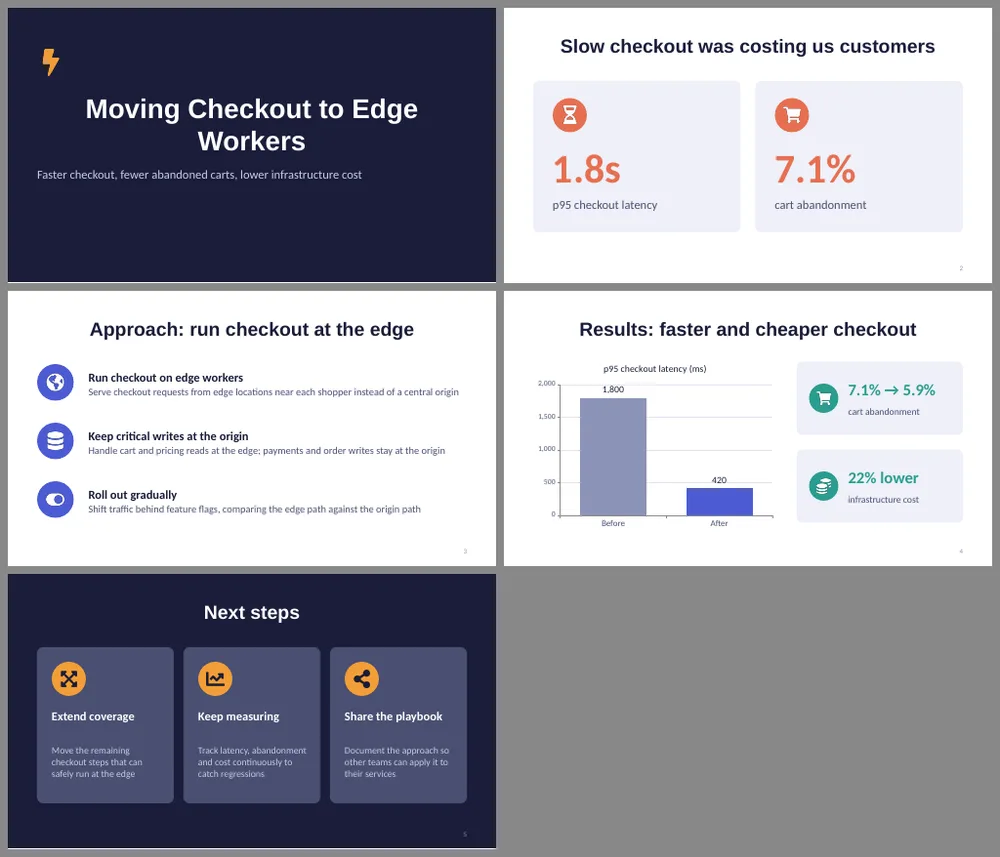
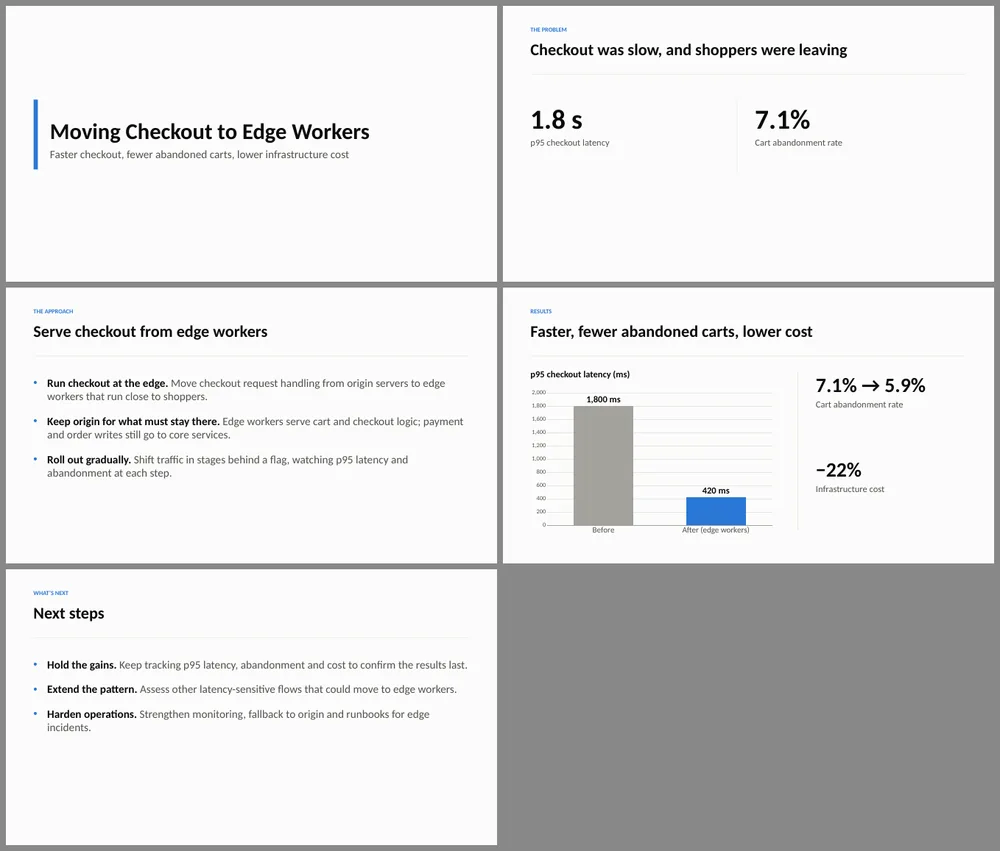
On our first attempt the skill run produced no file, because its recommended workflow needs several packages that were not installed. After we installed them it worked and gave the more designed deck, with icons, cards and a dark title slide. The run without the skill produced a plainer deck by writing the PowerPoint XML directly. Both kept to the numbers we supplied.
What it says it does
Use this skill any time a .pptx or .potx file is involved in any way, as input, output, or both. This includes: creating slide decks, pitch decks, or presentations; reading, parsing, or extracting text from any .pptx or .potx file; editing, modifying, or updating existing presentations; combining or splitting slide files; working with templates (.potx), layouts, speaker notes, or comments.
From the skill's own SKILL.md description, source: anthropics/skills at commit e4bb5d9.
What you need before it works
- Node.js with pptxgenjs, plus react, react-dom, react-icons and sharp for the icons the skill recommends. A plain Mac or Linux machine does not have these installed. We installed them before testing.
- LibreOffice to render slides to images, and Python for the skill's validation scripts.
Real tests
Each test ran twice with the same prompt: once with the skill installed, once without. Single run each.
Five-slide deck with a results chart
Prompt we gave Claude
Create deck.pptx with 5 slides about moving our checkout to edge workers. Slide 1 title. Slide 2 the problem: p95 checkout latency was 1.8s and cart abandonment 7.1%. Slide 3 the approach in 3 bullets. Slide 4 results with a bar chart comparing p95 latency before (1800 ms) and after (420 ms), plus abandonment 7.1% to 5.9% and infrastructure cost down 22%. Slide 5 next steps. Do not invent any other numbers.
| With skill | Without skill | |
|---|---|---|
| Skill used by Claude | Yes (pptx) | Not installed |
| First attempt | Failed: no file, packages missing and the sandbox blocked installing them | Worked, using only Python standard library |
| After we installed the packages | 15 agent turns, 117 s, about $0.59 of usage | Not repeated. Its first attempt: 12 agent turns, 172 s, about $0.73 |
| Slides and numbers | 5 slides, only the numbers we gave | 5 slides, only the numbers we gave |
We rendered both decks with LibreOffice. The images below show all five slides of each deck.
Caveats
- The skill run said it could not render the slides to images in our sandbox, so Claude had not seen its own deck. We rendered it ourselves.
- We checked rendering in LibreOffice, not in PowerPoint.
- One run per setting. The failed first attempt is real and is why the requirements above matter.
How we installed it for the test
We copied the skill folder into .claude/skills/pptx inside the test project. After the failed first attempt we installed the missing Node packages and ran the test again.